Real-Time Clipboard Sync Cross-Platform P2P & mTLS.
Instantly share text, images, mobile photos, and giant virtual files across multiple computers (Windows, Linux, macOS) in your local network with zero cloud dependencies and military-grade mutual encryption.
⚠️ NOT RECOMMENDED FOR DIRECT USE OVER PUBLIC INTERNET!
Clipboard Sync relies on direct peer-to-peer communication listening on local ports (TCP 5201 and UDP 5202). Exposing the application directly to the public Internet (WAN) without a proper firewall or a private tunnel exposes certificate fingerprints and sync endpoints to third-party port scans.
Criptare mTLS & Proiectat pentru Confidențialitate Totală
Built in Go with rigorous cryptographic primitives to safeguard sensitive clipboard data.
Mutual mTLS 1.3 & ECDSA P-256 Encryption
Every Clipboard Sync instance generates self-signed X.509 certificates and ECDSA keypairs. Every P2P connection is mutually authenticated with SHA-256 fingerprint verification.
Automated Sensitive Data Detection & Ephemeral TTL
Automatic detection of API keys, JWT tokens, private keys, credit cards, and passwords copied to clipboard, purging them automatically from RAM upon Ephemeral TTL expiration.
Multi-Interface Autodiscovery & Tailscale Support
Automated UDP broadcast discovery across all active network interfaces (Ethernet, Wi-Fi, Tailscale Tailnet) with automatic default port :5201 appending.
6-Digit Cryptographic PIN Pairing
New nodes can only connect by supplying a temporary 6-digit PIN code (valid 10 minutes) generated via crypto/rand. Authorized peers are saved locally in peers.json.
RAM-Only Text Protection (Zero Disk Logs)
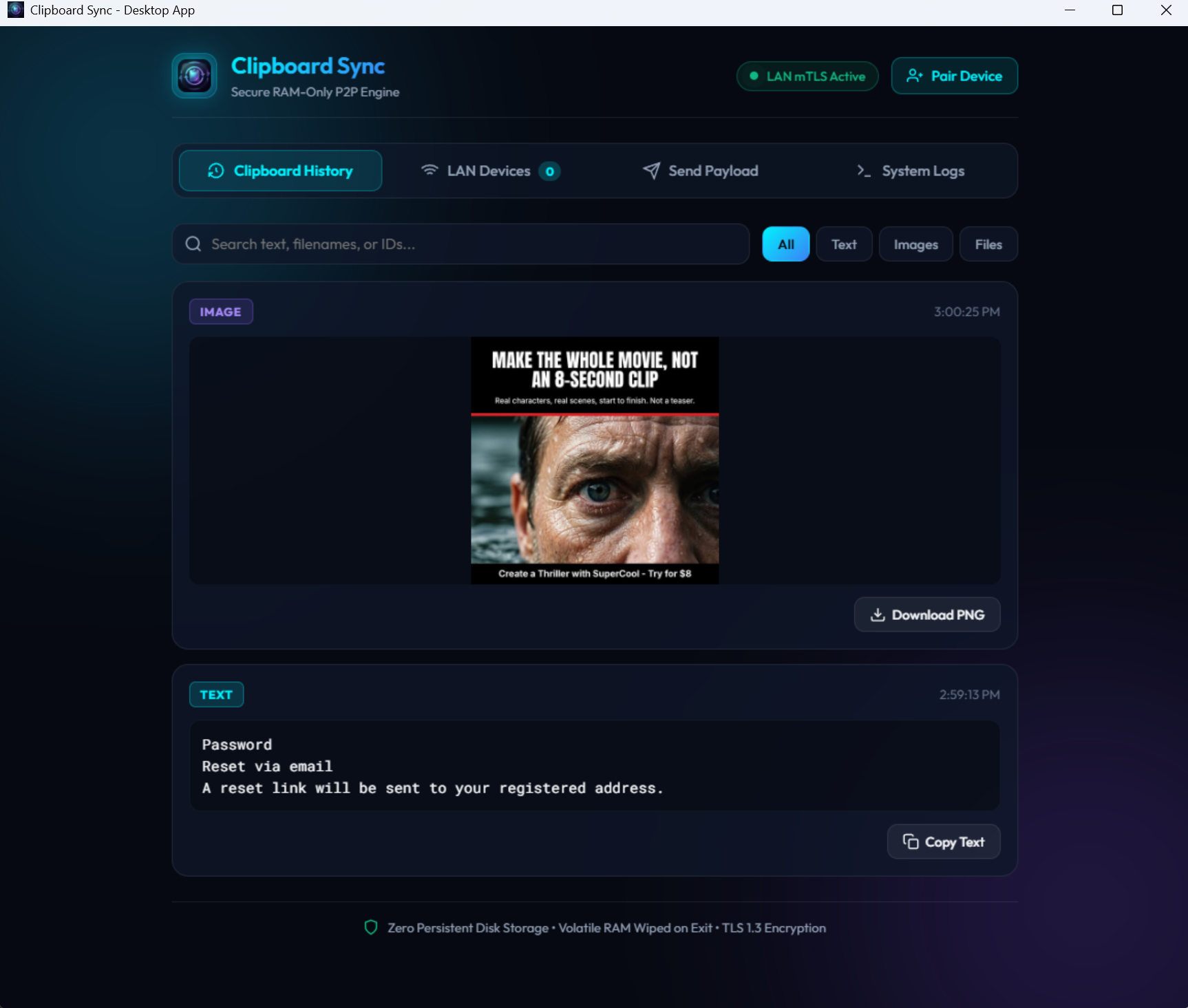
Clipboard text contents reside exclusively in-memory inside a circular HistoryBuffer. No copied text or sensitive snippets are ever written to hard drives or log files.
256-Bit Hex Token Secured Share-to-Web
The embedded LAN HTTP server generates a unique 32-byte cryptographic token (64 hex characters). Requests without a valid token receive an instant 401 Unauthorized.
AES-256 GCM Binary Framing
Binary frame packets (MsgClipboardUpdate, MsgFetchChunkReq) are encapsulated with strict length boundaries and cryptographic checksums.
P2P Full Mesh Topology (Zero SPOF)
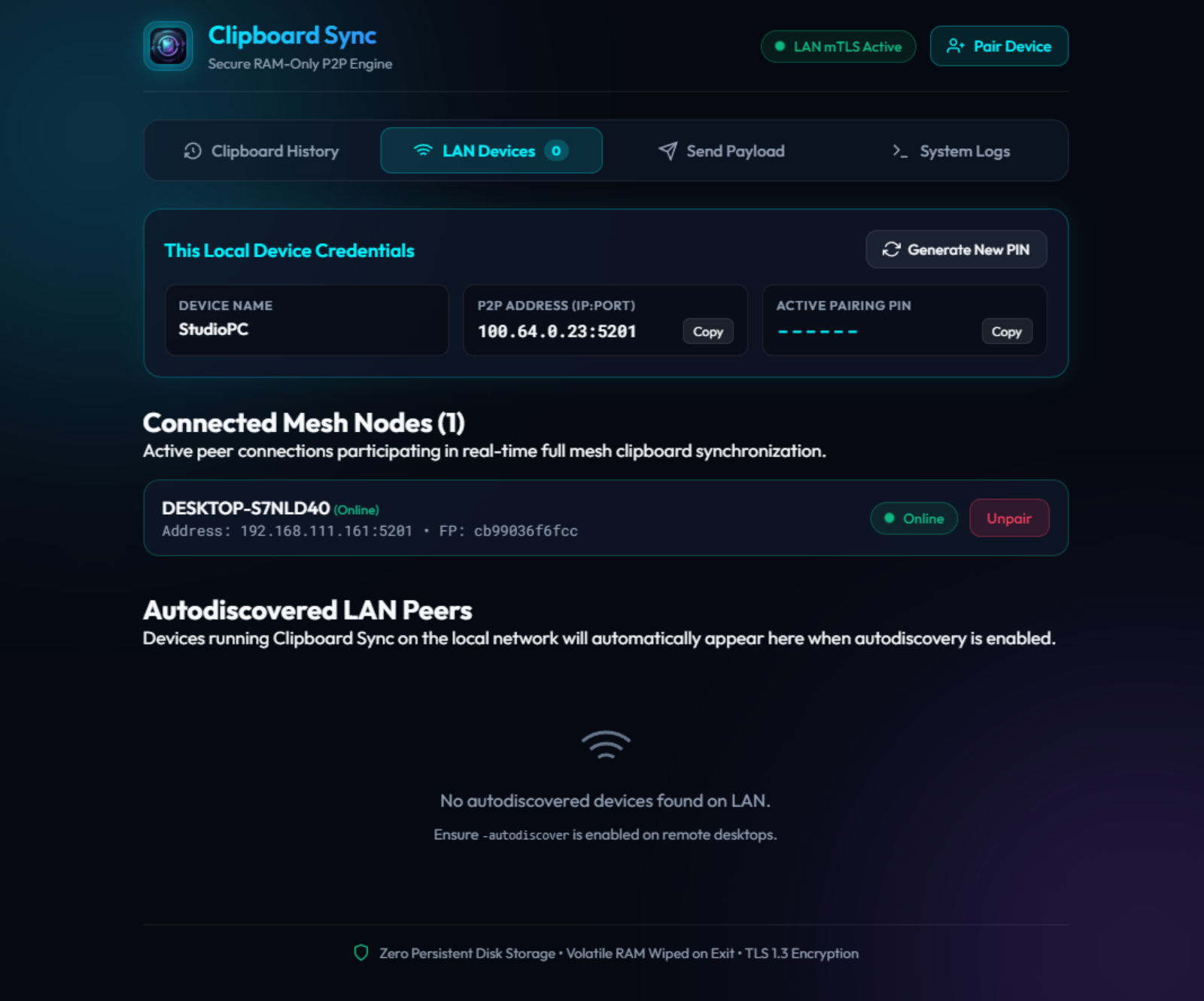
Each computer acts simultaneously as client and server. Nodes automatically exchange network topology (MsgPeerExchange), connecting all machines in the group.
Transfer Instant cu OLE Lazy Streaming
Designed for sub-millisecond latency, intelligent RAM handling, and effortless sharing.
Interactive Visual Mesh Topology Graph
Real-time interactive network topology rendering displaying connected P2P mesh nodes, active mTLS links, and cluster status.
P2P Auto-Upgrade Engine & Multi-Hop Relay
Peer-to-peer executable self-upgrades up to 64MB frame sizes and multi-hop chunk relaying across intermediate hosts behind strict NATs/firewalls.
Virtual Files OLE Streaming (Lazy Transfer)
Copy multi-gigabyte files without memory pressure. Via Win32 OLE COM interfaces, data is streamed in optimized chunks across mTLS only when you perform Paste in Explorer.
Flicker-Free Native Progress Dialog (GDI Double-Buffered)
Real-time Windows native progress dialog with GDI double buffering, tracking transfer rates (MB/s), processed bytes, completion percentage, and estimated time remaining.
Mobile QR Code & Browser Photo/File Upload
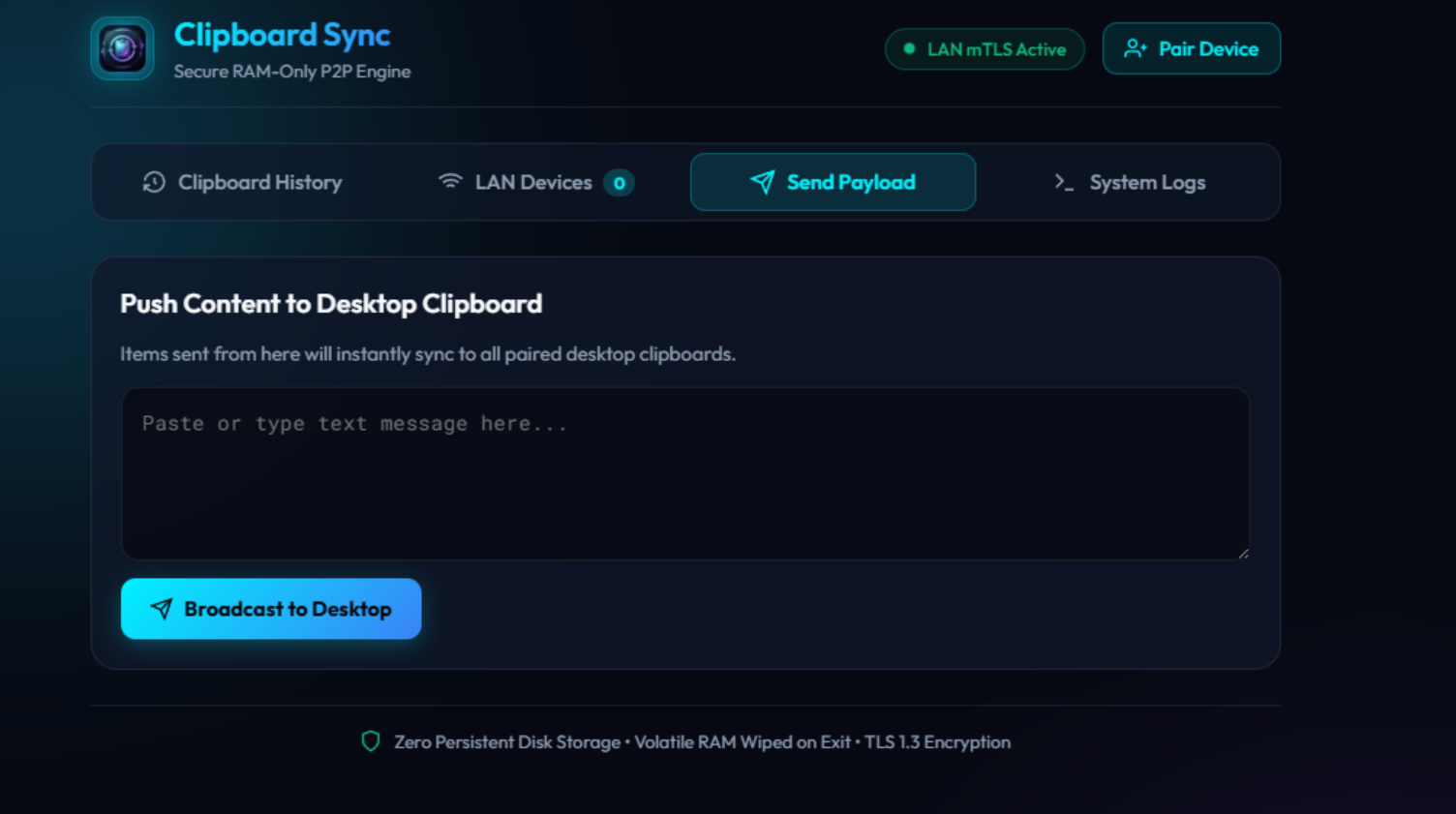
Embedded Share-to-Web interface with instant QR Code popup for smartphones, enabling direct photo and file uploads into all connected desktop clipboards.
System Tray Minimization & Custom Branding
Integrates into the Windows System Tray notification area for unobtrusive background operation, complete with custom app icons and web favicons.
Autodiscovery UDP Broadcast (Port 5202)
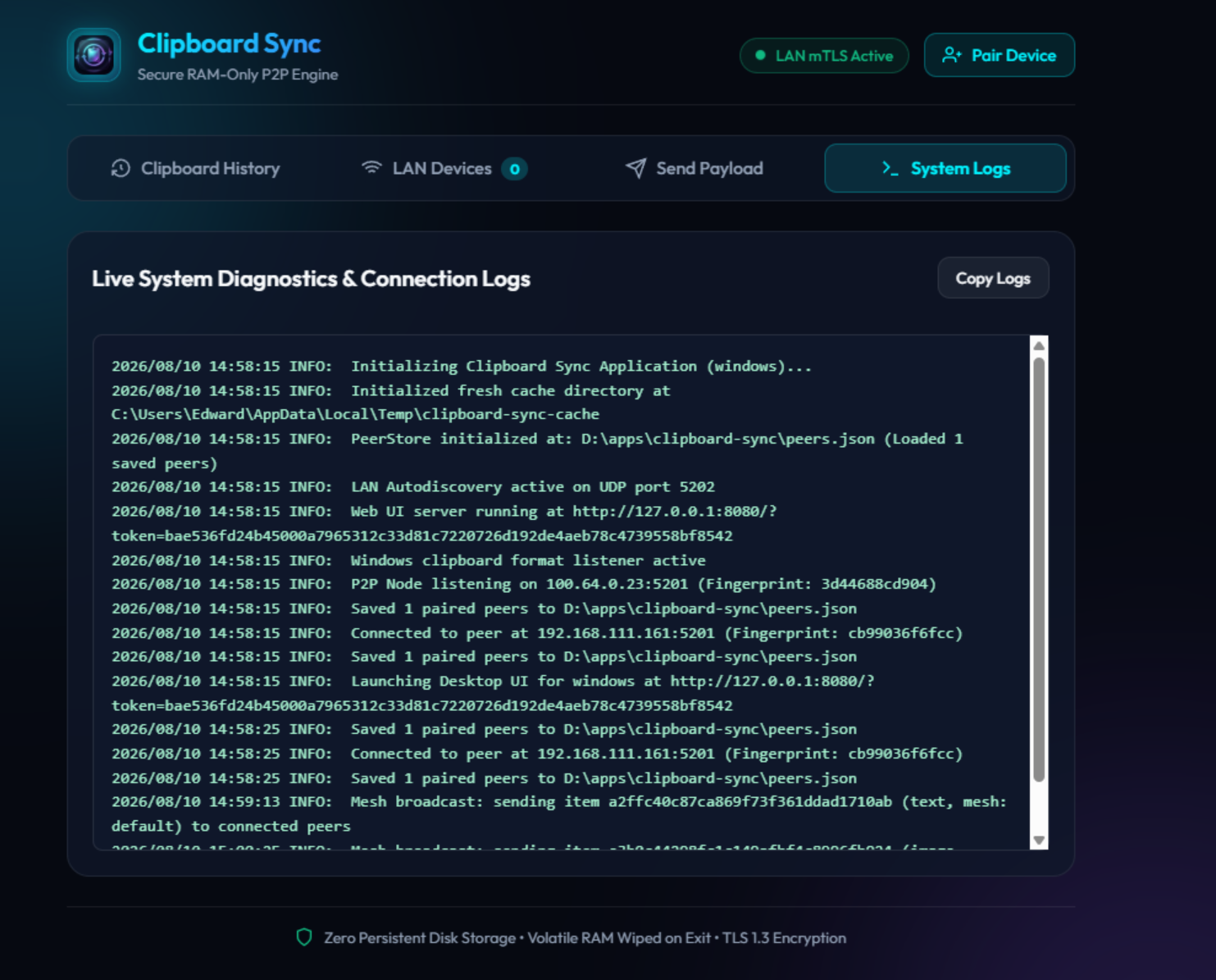
The application broadcasts heartbeat packets on UDP 5202 across the local subnet. Paired nodes rediscover and reconnect automatically on system startup.
Native Windows WebView2 Interface
Sleek dark-mode desktop GUI powered by Microsoft Edge WebView2, running natively without console popup windows (-H=windowsgui subsystem).
Compatibilitate Sistem de Operare
The core codebase is architected in Go for cross-platform compatibility.
Windows (x64 / ARM64)
Native executable fully tested and optimized for Windows 10, Windows 11, and Windows Server. Includes WebView2 GUI, System Tray Icon, OLE Progress Dialog, and Win32 OLE COM Clipboard driver.
Linux (x64 / ARM64 / Raspberry Pi)
Go source code for Linux is implemented with Headless CLI support (xclip/xsel integration). Linux binaries are currently undergoing testing.
macOS (Apple Silicon M-Series & Intel)
macOS clipboard driver (pbcopy/pbpaste) is integrated into the codebase. Native macOS builds are currently in early testing phase.
Capturi de Ecran & Interfață
Click any screenshot to expand and inspect the technical interface details.
Pornire Rapidă & Comenzi CLI
Link two computers on your local network in under 60 seconds.
Run clipboard-sync.exe on both computers on your local network to open the desktop interface.
.\clipboard-sync.exeOn PC #1, click "Generate Pairing PIN" (or run clipboard-sync.exe pin in CLI). A 6-digit PIN valid for 10 minutes will appear.
.\clipboard-sync.exe pinOn PC #2, enter PC #1 IP and the generated PIN (or run clipboard-sync.exe pair <IP>:5201 <PIN>). Devices establish mutual mTLS trust!
.\clipboard-sync.exe -hÎntrebări Frecvente
Answers regarding application security, network behavior, and platform compatibility.
❓ Why is Clipboard Sync not recommended directly over the public Internet without VPN?
The application opens local P2P listener sockets on TCP port 5201 and UDP port 5202. Exposing these ports directly to the public WAN exposes your local node to port scanners. Always use a private VPN (Tailscale, WireGuard) to sync across remote locations.
❓ How do I send a photo from my smartphone to desktop clipboards?
Enable Share-to-Web (-web), scan the QR code displayed in the app using your smartphone camera on the same Wi-Fi, and click the photo/file upload button in your phone browser.
❓ What is the current status on non-Windows operating systems?
The application is fully tested and functional on Windows (10, 11, Server). Support for Linux (xclip) and macOS (pbcopy) is written into the Go codebase, but native builds for those platforms are currently in active testing.
❓ How are passwords and sensitive clipboard text protected?
Text content sent over the clipboard is never written to disk or saved in log files. It lives strictly in RAM (circular HistoryBuffer), and all network packets are encrypted with mutual TLS 1.3 ECDSA P-256. Sensitive data (API keys, passwords, tokens) can be automatically deleted upon Ephemeral TTL expiration.
❓ How can multi-gigabyte files be transferred without high RAM usage?
On Windows, Clipboard Sync uses OLE COM Virtual Files (Lazy Streaming) with a native progress bar. Copying a 20 GB file transfers only a lightweight metadata descriptor. The actual file payload is streamed over mTLS in 64 KB chunks only when you Paste in Explorer.
Versiuni & Actualizări
The evolution of Clipboard Sync, release by release.
Autodiscovery Optimization & Tailscale Status Cache
- Optimized autodiscovery ticker to 60s steady-state with rapid initial burst and on-demand TriggerSweep() for minimal CPU and network usage.
- Added a 15-second TTL cache for Tailscale CLI status queries.
- Executed background CLI subprocesses with CREATE_NO_WINDOW flag, permanently removing popup console windows on Windows.
Tailscale Tailnet Discovery & 64MB P2P Auto-Upgrade
- Automatic discovery of peers across Tailscale VPN tailnets (100.x.y.z range) and automatic default port :5201 appending.
- Increased binary frame limit to 64MB and extended download timeout to 60s for seamless P2P peer-to-peer executable self-upgrades.
- Automatic upgrade to direct TCP P2P connections and continuous background reconnection engine for mesh peers.
Sensitive Data Detection, Visual Mesh Topology & Tray Subclassing
- Automatic detection of sensitive data (API keys, JWTs, private keys, credit cards, passwords) with configurable Ephemeral TTL auto-purge from RAM.
- Interactive visual mesh topology graph rendered in GUI and Web interface.
- Deterministic peer sorting to eliminate UI list flickering and accurate online/offline mesh status reporting from Peer Exchange announcements.
- Strict PIN pairing mode, multi-interface autodiscovery (Ethernet, Wi-Fi, Tailscale), and native Windows System Tray subclassing.
Transitive Mesh Auto-Pairing & Multi-Hop Relay
- Transitive peer auto-pairing propagation across all nodes in the mesh cluster.
- Multi-hop binary chunk relaying through intermediate hosts, enabling clipboard and file transfers for nodes behind strict NATs or firewalls.
Fix Explorer Virtual File Paste
- Critical IStream::Stat fix: the STATSTG buffer is now written correctly, eliminating Explorer failures when querying virtual streams.
- Full folder copy support: directory trees are preserved (folders flagged with FILE_ATTRIBUTE_DIRECTORY), so pasting recreates the hierarchy in Explorer.
- Strict FORMATETC validation (DVASPECT_CONTENT, TYMED_ISTREAM, lindex) for FileContents, rejecting invalid requests with the proper OLE error codes.
- Directories are excluded from FileContents enumeration; only files are streamed via IStream, and directory entries no longer break the paste operation.
Eliminate Completed Transfer Card Flicker
- The web UI progress card no longer flickers when a transfer completes.
- Terminal state (completed/canceled) is rendered exactly once; the card hides cleanly after 2.5 seconds.
Download Clipboard Sync v1.2.25 or request custom IT integration.
Get the standalone Windows executable or contact ProComm Systems for custom software solutions and infrastructure support.
Or email us at [email protected]